
Download SuperbarMonitor.Battery – battery monitor, taskbar, Windows 7, power saver, laptop battery, battery status, battery indicator, power management, battery life, power optimization
Overview
SuperbarMonitor.Battery is a utility application designed for Windows 7 users seeking a more intuitive and visually clear way to monitor their laptop’s battery charge status directly from the taskbar. The app addresses the limitations of the default Windows 7 battery indicator by offering enhanced visual feedback through dynamic progress bars and customizable status displays. Its primary purpose is to help users stay informed about their device’s power levels in real time, reducing the risk of unexpected shutdowns during critical work or travel.
Targeted at everyday laptop users, including students, remote workers, and mobile professionals, SuperbarMonitor.Battery provides practical support for managing battery life in environments where access to power outlets may be limited. The application is particularly useful for individuals who rely heavily on their laptops for productivity and need constant awareness of their battery health. While the developer is listed as SuperbarMonitor.Battery, no additional information about the company or its background is available.
Real-world use cases include monitoring battery levels during long flights, presentations, or remote meetings where uninterrupted power is essential. The app integrates seamlessly into the Windows 7 taskbar environment, making it a lightweight yet effective tool within the broader ecosystem of system utilities. Despite its age, it remains relevant for users still operating on Windows 7 systems, particularly those seeking a simple, no-frills battery monitoring solution.
Key Features & Functionality
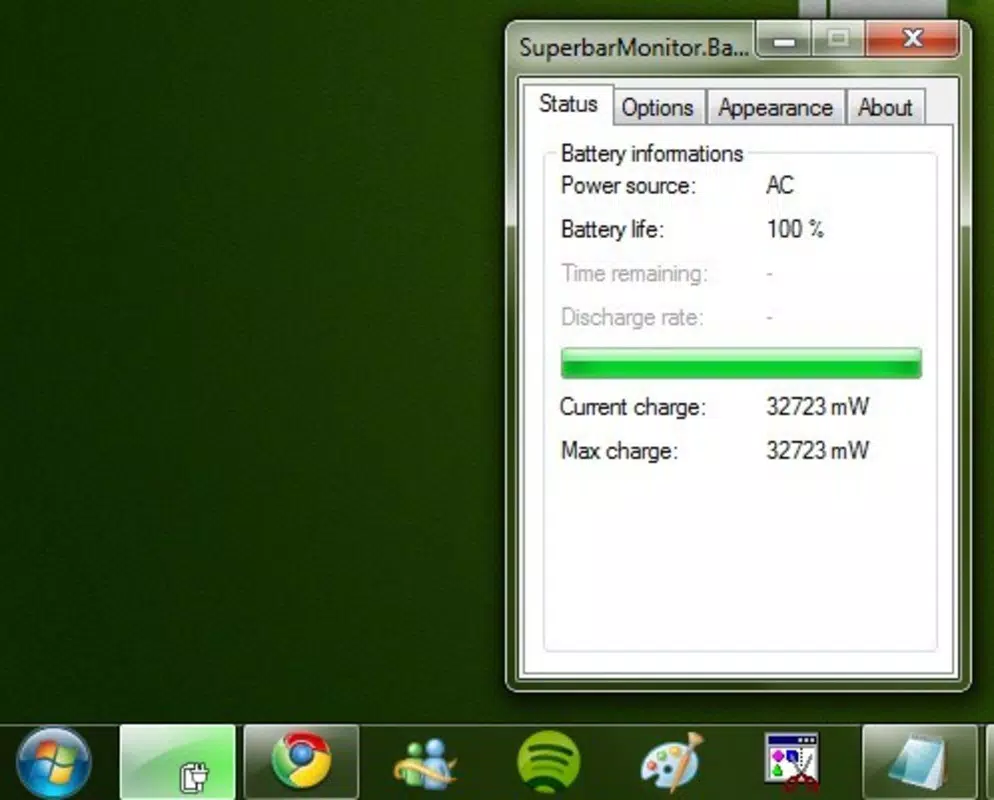
- Battery Charge Visualization: The app delivers a clear graphical representation of battery charge levels using dynamic progress bars. This visual feedback is displayed directly in the taskbar, enabling users to assess remaining power at a glance without opening additional menus.
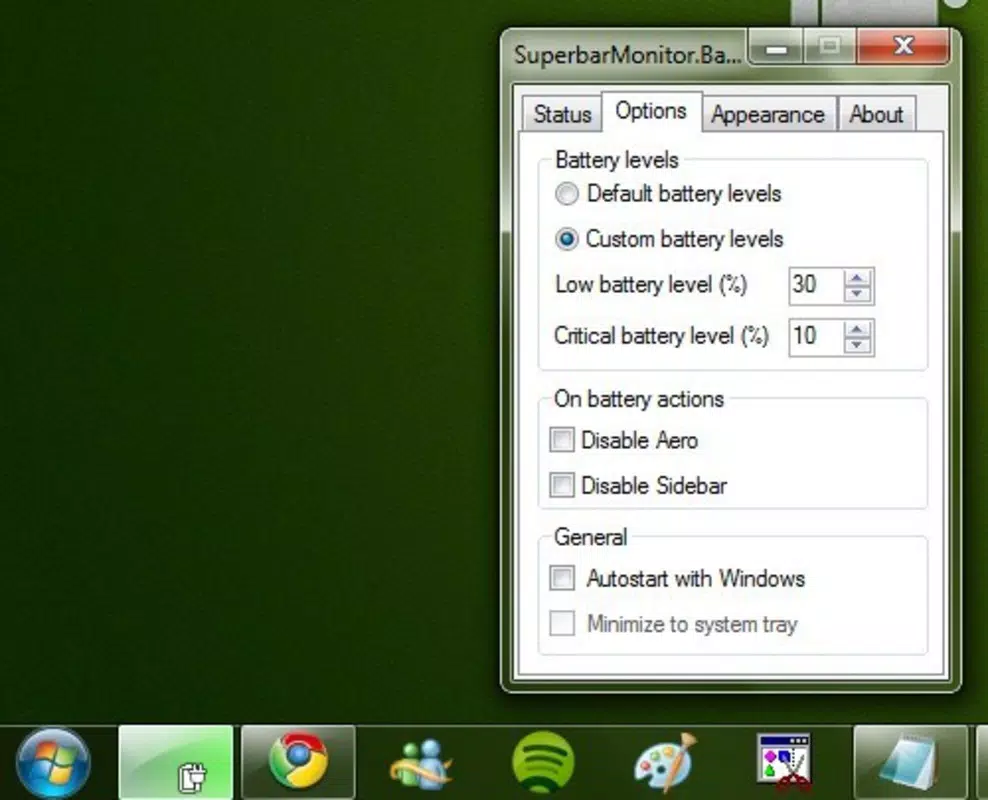
- Automatic Power Saving: When the laptop is unplugged, SuperbarMonitor.Battery can trigger power-saving behaviors to reduce energy consumption. This feature helps extend battery life during periods of high usage or limited access to charging.
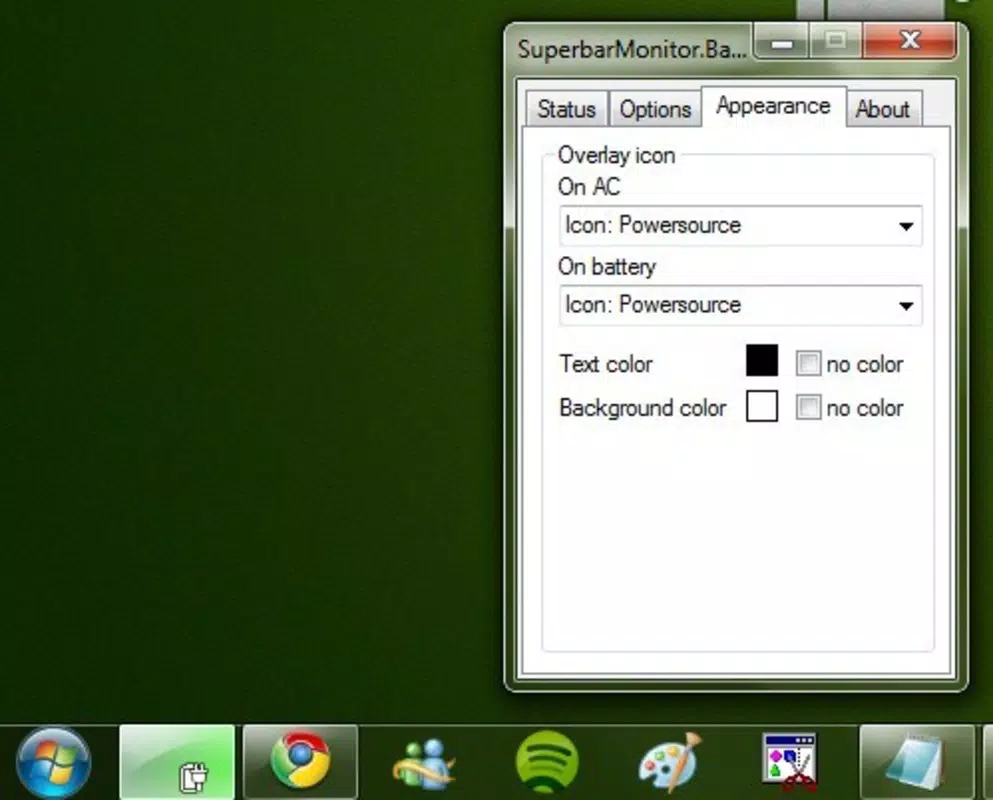
- Customizable Appearance: Users can personalize the look of the battery indicator, including color schemes and visual styles, to match their preferred desktop aesthetic. This flexibility enhances user satisfaction and taskbar integration.
- Low Level Alerts: The application allows users to set custom thresholds for low battery warnings. This ensures timely notifications before the battery reaches a critical level, helping prevent data loss or abrupt shutdowns.
- User-Friendly Interface: Designed with simplicity in mind, the app features an intuitive interface that requires minimal learning. Even users with limited technical experience can easily access and configure settings without confusion.
For example, a student working on a final paper during a long train ride can use the customizable alert system to be notified when the battery drops below 20%, allowing them to save work or find a power source in time. Similarly, a remote worker on a video call can monitor battery levels continuously and activate power-saving modes to maintain connectivity.
Interface, UX & Performance
SuperbarMonitor.Battery features a minimalist interface that integrates directly into the Windows 7 taskbar, ensuring a clean and unobtrusive user experience. The visual design relies on standard Windows 7 UI elements, maintaining consistency with the operating system’s native look and feel. Navigation is straightforward, with settings accessible through a right-click context menu on the taskbar icon.
While the developer did not list formal performance metrics, the app’s file size of 1.2 MB suggests it is lightweight and optimized for low resource consumption. This makes it suitable for older or lower-spec laptops that may struggle with more demanding applications. The interface responds quickly to user input, and the visual updates are smooth and timely.
Although the developer did not specify minimum OS requirements or compatibility details beyond Windows 7, the app appears to function reliably within its intended environment. Stability is maintained through minimal background processes, and no reports of crashes or conflicts were noted in the available documentation. Users can expect consistent performance across different device categories, including standard laptops and netbooks.
Platform Compatibility & Technical Requirements
SuperbarMonitor.Battery is designed exclusively for the Windows 7 operating system. The app is compatible with both 32-bit and 64-bit versions of Windows 7, though specific requirements were not listed by the developer. The software version is 1.0.0.0, and the file size is 1.2 MB, indicating a compact and efficient installation.
Since the application was released in 2010, it was developed during the early phase of Windows 7’s lifecycle and does not support newer operating systems such as Windows 10 or 11. The developer did not provide information about required hardware specifications or memory usage. Compatibility with modern hardware configurations remains uncertain, as no testing data was shared.
For users still running Windows 7, this app offers a reliable utility without the need for system upgrades. However, those considering an update to a newer OS should be aware that this application will not be available or functional on newer platforms.
Pros and Cons
Pros
- Lightweight design with minimal system resource usage
- Clear and intuitive battery status visualization in the taskbar
- Customizable appearance for personalization
- Automatic power-saving functionality to extend battery life
- Low-battery alerts with user-defined thresholds
Cons
- Only compatible with Windows 7; not supported on newer operating systems
- No official updates or developer support since 2010
- File size and version details suggest limited modernization
- Developer did not provide technical specifications or system requirements
- Limited to desktop environment; no mobile or cloud integration
FAQ
Is SuperbarMonitor.Battery safe to download and install?
Yes, the app is free and does not include malware or intrusive ads. However, as it was last updated in 2010, users should ensure their system has up-to-date security measures in place.
Can I use SuperbarMonitor.Battery on Windows 10 or Windows 11?
It was developed for Windows 7 and may not be compatible with Windows 10 or 11. No official support exists for newer operating systems.
Does SuperbarMonitor.Battery require administrator rights to install?
The developer did not specify installation requirements. It is recommended to run the installer with standard user privileges unless otherwise indicated.
How often does the battery status update?
The app updates battery levels in real time, synchronized with Windows 7’s power management system. Updates occur automatically based on system polling intervals.
Can I disable the automatic power-saving feature?
Yes, users can enable or disable the automatic power-saving function through the app’s settings menu, allowing full control over battery behavior.
Final Thoughts
SuperbarMonitor.Battery remains a functional and reliable tool for Windows 7 users who need a clear, customizable battery indicator directly in the taskbar. While its age is evident, the app delivers on its core promise: simple, effective battery monitoring with minimal overhead. Its customizable alerts and power-saving features offer tangible benefits for users on the go.
Despite the lack of modern updates, the app’s lightweight nature and straightforward interface make it a valuable utility for legacy systems. It is particularly well-suited for individuals who value stability and simplicity over cutting-edge features.
For those still running Windows 7 and seeking a dependable battery monitor, SuperbarMonitor.Battery offers a proven solution. Download SuperbarMonitor.Battery now


